How to Stop Spam Emails Permanently: Complete Guide for 2026
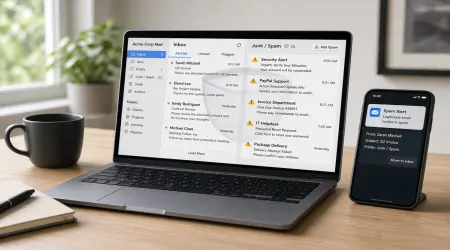
Spam emails are one of the most common problems internet users face today. From promotional messages and fake offers to phishing scams and malicious links — unwanted emails can clutter your inbox and put your personal data at risk.
The good news is that you don’t have to live with spam forever. With the right strategies and tools, you can significantly reduce — or even eliminate — spam emails from your inbox.
Let’s explore how.
What Are Spam Emails?
Spam emails are unwanted messages sent in bulk to many recipients. They often include:
- Advertisements
- Fake promotions
- Scam offers
- Phishing links
- Malware attachments
Some spam is just annoying, but some can be dangerous. Clicking the wrong link can expose your personal information or infect your device.
Why You Receive So Much Spam
There are several reasons why spam reaches your inbox:
✔ You shared your email on multiple websites
✔ Your email was leaked in a data breach
✔ You subscribed to marketing lists
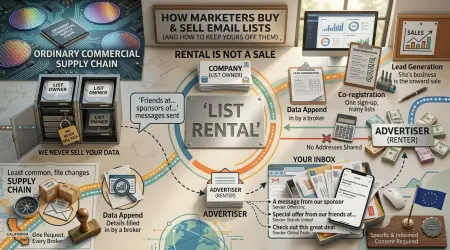
✔ Your email was sold to advertisers
✔ Bots collected your email from public platforms
Once your email enters spam databases, it can spread quickly.
1. Use Spam Filters Properly
Most email providers automatically filter suspicious messages. But filters learn from your behavior — so you need to train them.
When you receive spam:
✔ Mark it as spam
✔ Don’t open suspicious emails
✔ Don’t click unsubscribe links from unknown senders
Popular email services like Gmail and Outlook have powerful spam detection systems that improve over time.
2. Never Share Your Email Publicly
Posting your email on public websites, forums, or social media makes it easy for spam bots to collect it.
If you must share contact details online, consider using a secondary email or temporary email address instead of your main one.
3. Use Disposable or Secondary Email Accounts
One of the smartest ways to prevent spam is to never give your primary email to untrusted websites.
Use:
✔ Temporary email for one-time sign-ups
✔ Secondary email for shopping or newsletters
✔ Main email only for important accounts
Privacy-focused email providers like ProtonMail also offer strong spam protection and encryption.
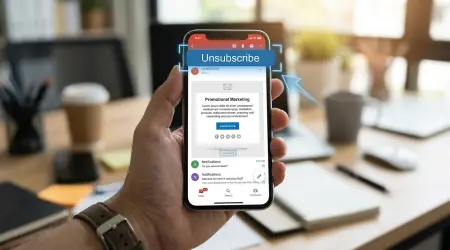
4. Unsubscribe From Legitimate Mailing Lists
Some emails are not spam — you subscribed to them but no longer want them.
For trusted companies:
✔ Click official unsubscribe links
✔ Manage email preferences
✔ Reduce notification frequency
This helps clean your inbox without blocking useful messages.
5. Protect Your Email From Data Breaches
Data breaches expose millions of email addresses every year. Once leaked, your email may be targeted by spammers worldwide.
To reduce risk:
✔ Use strong passwords
✔ Enable two-factor authentication
✔ Avoid reusing passwords
✔ Monitor account security alerts
Security prevention is always easier than recovery.
6. Avoid Clicking Suspicious Links
Spam emails often try to trick you into clicking links that steal information or install malware.
Red flags include:
⚠ Urgent warnings
⚠ Unexpected attachments
⚠ Fake prizes
⚠ Unknown senders
⚠ Poor grammar or spelling
When in doubt — delete the email.
7. Create Email Aliases
Many email providers allow aliases — alternative addresses linked to your main inbox.
You can use different aliases for:
- Shopping
- Subscriptions
- Work
- Personal communication
If one alias receives spam, you can disable it without affecting your main email.
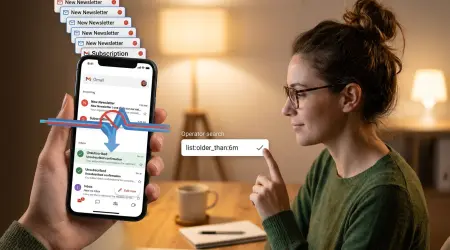
8. Regularly Clean Your Inbox
Old subscriptions and inactive accounts increase spam risk.
Monthly cleanup helps you:
✔ Remove unnecessary emails
✔ Block persistent senders
✔ Maintain organized inbox
✔ Improve spam filter accuracy
A clean inbox is easier to manage and safer to use.
Can You Completely Stop Spam?
You may not eliminate spam 100%, but you can reduce it dramatically.
Most people who follow these steps experience:
✔ 70–95% reduction in spam
✔ Better email security
✔ Cleaner inbox
✔ Lower phishing risk
Consistency is the key.
Final Thoughts
Spam emails are more than just annoying — they can be a serious security threat. Protecting your inbox means protecting your identity, your data, and your peace of mind.
By using spam filters, disposable emails, strong security practices, and smart sharing habits, you can take full control of your inbox.
A spam-free email experience is possible — and it starts with simple actions today.