Unsubscribe or Ignore? What Clicking Actually Does
SPAM AND INBOX OVERLOAD
Unsubscribe or Ignore? What Actually Happens When You Click That Link
By SHARIQ · September 15, 2026 · 11 min read
THE SHORT VERSION
|
The standard advice comes in two flavours and both are wrong. “Never click unsubscribe, it confirms your address” strands people on lists they could leave in one press. “Always unsubscribe, it’s the law” hands criminals exactly what they’re fishing for. The reason both fail is that they treat unsubscribing as a single action, when modern email actually offers two quite different ones.
01 The two buttons
Open a marketing email in Gmail, Yahoo Mail, Apple Mail or Outlook and look carefully. There are usually two ways out.
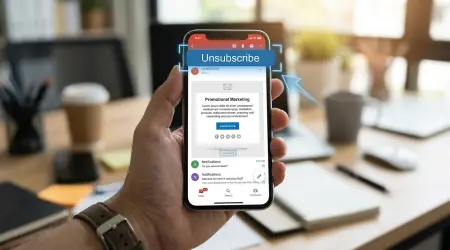
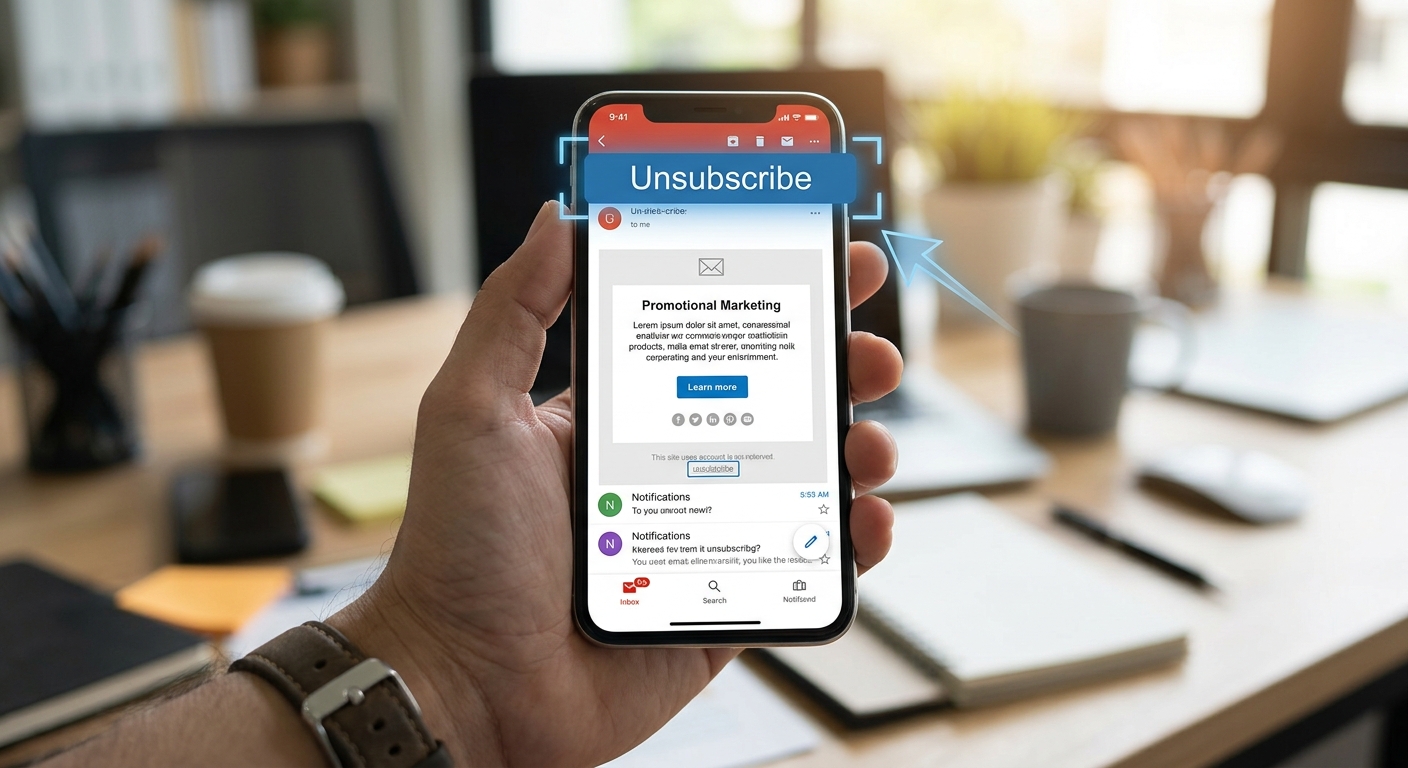
The first sits at the top, in the mail client’s own interface, near the sender’s name — a small “Unsubscribe” control drawn by your provider, not by the sender. The second is at the bottom, in the message itself, in small grey text the sender designed.
They look like two routes to the same place. They aren’t. The top one is a machine-to-machine transaction your provider conducts for you. The bottom one is you visiting a website.
02 What the top button actually does
The provider button works through mail headers — information carried with the message that you never normally see. Two headers matter, and the mechanism is defined in a public standard, RFC 8058.
MESSAGE HEADERS List-Unsubscribe: List-Unsubscribe-Post: List-Unsubscribe=One-Click (the second header is what signals true one-click capability) |
The two headers that make the provider’s unsubscribe button appear. Illustrative values.
When you press the provider’s button, your mail provider sends a POST request to that HTTPS address on your behalf. You never visit the page. Your browser is not involved. The sender’s server receives a request saying “this subscriber wants out” and is expected to act on it within 48 hours.
The standard also does something quietly important: it specifies that the request must not include cookies, HTTP authentication, or any other data that could link the unsubscribe to your previous web activity. The mechanism was deliberately designed so that leaving a list tells the sender nothing except that you left.
WHY THIS MATTERS Every objection people raise about unsubscribing — it confirms you’re real, it loads their tracking, it links you to your browsing — applies to the footer link and not to the header mechanism. The provider button is about as clean an exit as email offers. |
03 What the bottom link actually does
The footer link is an ordinary web link, and clicking it does what clicking any link does: loads a page on the sender’s server, in your browser, from your IP address, carrying whatever cookies you already hold for that domain.
The address itself is rarely generic. It usually contains an identifier tied to your specific subscription, which is how the page knows which address to remove — and equally how the sender knows precisely which recipient acted, at what moment.
For a legitimate company this is unremarkable. They already have your address, they already know you opened their mail, and the identifier exists to make the unsubscribe work. Nothing is being extracted that they didn’t have.
For a sender operating in bad faith, that same request is the entire point.
THE CRIMINAL CASE On genuine spam, the footer “unsubscribe” is frequently not an unsubscribe at all. It is a confirmation that a human being read the message — which promotes your address from unverified to confirmed, and confirmed addresses are worth more and get sold to more senders. The response to clicking is more mail, not less. |
04 Why the rules tightened in 2024
Unsubscribing used to be far less reliable than it is now, and the thing that changed wasn’t legislation — it was the mailbox providers deciding they’d had enough.
In February 2024 Gmail and Yahoo introduced requirements for bulk senders, defined as those sending more than 5,000 messages a day. Such senders must support one-click unsubscribe through the header mechanism, must process unsubscribe requests within two days, and must keep spam complaint rates below 0.3% — with Gmail advising senders to stay under 0.1%. Enforcement of the header requirement was phased, arriving in June 2024 for senders who already had a working footer link.
The effect on you is direct. Any substantial sender reaching a Gmail or Yahoo inbox now has a strong operational reason to honour unsubscribes quickly, because failing to do so degrades their ability to reach anyone’s inbox at all. That’s a sharper incentive than any statutory deadline.
05 What the law requires, separately
Two legal clocks run alongside the provider rules, and both are slower.
In the United States, CAN-SPAM gives senders up to ten business days to honour an opt-out, alongside its requirements for accurate headers, honest subject lines and a valid postal address. It’s a genuine obligation with real penalties, but two weeks is a long time to keep receiving mail you’ve asked to stop.
In the UK and EU, the framing is consent rather than opt-out: withdrawing consent must be as easy as giving it, and the right to object to direct marketing is absolute — no balancing test, no legitimate interest that outweighs it. In principle that’s the strongest position of the three. In practice, enforcement against a small overseas sender is slow enough that the provider rules still do more day-to-day work.
The decision, in three cases
| SITUATION | DO THIS | WHY |
|---|---|---|
Provider’s unsubscribe button is offered | Use it, always | Header mechanism — no page load, no cookies, 48-hour obligation |
No button, but you recognise the sender | Use the footer link | They already have your data; legitimate senders honour it |
Sender you’ve never heard of | Mark as spam. Don’t click anything | The link may exist only to confirm you’re real |
You unsubscribed and it kept coming | Mark as spam | Complaint rate is the metric providers actually enforce |
Legitimate sender ignoring you in the UK/EU | Withdraw consent in writing, then complain | The right to object has no balancing test |
Note that “mark as spam” appears twice. It is the most underused button in email.
Why marking as spam is stronger than it feels
Unsubscribing is a request to one company. Marking as spam is a report to your mailbox provider — and the provider is the party with actual leverage.
Complaint rate is a tracked, enforced metric. A bulk sender drifting toward the 0.3% threshold is at risk of having its mail filtered for every recipient, not just yours. One complaint is a rounding error; complaints are also the aggregate signal that decides whether a sender keeps inbox access at all.
The practical upshot is that when a legitimate-looking sender ignores an unsubscribe, escalating to a spam complaint is not petty. It’s the only lever that reaches somebody who can act.
One thing unsubscribing can never fix
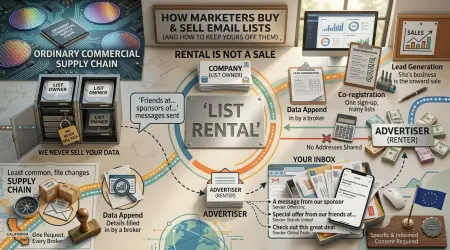
Every mechanism above removes you from one sender’s list. None of them removes your address from the lists that sender’s address was copied to, the brokers who appended it, or the co-registration partners who received it at sign-up.
That’s the structural limit. Unsubscribing is retail; the address is circulating wholesale. It’s worth doing — the two-day rule makes it genuinely effective now — but it manages an existing relationship rather than preventing the next twenty.
THE PREVENTIVE VERSION The only thing that stops a list from forming is not being on it. A distinct address per service means that when one of them starts selling, you unsubscribe once and can abandon that address entirely — instead of unsubscribing forever from companies you never contacted. |
Frequently asked questions
Is it safe to click unsubscribe?
It depends which one. The button your provider shows at the top uses a header-based mechanism that sends a machine-to-machine request without cookies or identifying data and never loads the sender’s page in your browser — use it freely. The link in the footer loads a page on the sender’s server with an identifier unique to you, which is fine for a company you recognise and unwise for one you don’t.
How does one-click unsubscribe work technically?
It’s defined by RFC 8058. The sender includes a List-Unsubscribe header containing an HTTPS address, plus a List-Unsubscribe-Post header carrying the value List-Unsubscribe=One-Click. Pressing the provider’s button sends a POST request to that address on your behalf, and the standard specifies that request must not include cookies, HTTP authentication, or anything else linking the action to your previous web activity.
How long does a company have to honour an unsubscribe request?
Two clocks. US law under CAN-SPAM allows up to ten business days. The mailbox providers are stricter: Gmail and Yahoo’s bulk sender requirements, effective February 2024, require senders of more than 5,000 messages a day to process unsubscribes within two days. The provider rule bites harder, because ignoring it damages a sender’s ability to reach any inbox.
Why does unsubscribing from spam make it worse?
For a criminal sender the link isn’t an unsubscribe mechanism — it’s confirmation that a human read the message. A live, attended address is worth more than an unverified one, so the response is more mail, and your address resold as a confirmed one.
What should I do if unsubscribing doesn’t stop the mail?
Mark it as spam rather than unsubscribing again. Complaint rates are what providers actually enforce — Gmail and Yahoo expect bulk senders below 0.3%, Gmail advises below 0.1% — so a complaint applies pressure a second request doesn’t. In the UK or EU you can also withdraw consent formally, which must be as easy as giving it.
The bottom line
“Should I unsubscribe?” is the wrong question, which is why the advice built on it contradicts itself. The right question is which mechanism you’re about to use, and the answer is visible before you click: the provider’s button at the top is a clean exit by design, and the footer link is a visit to somebody’s website.
Use the top one whenever it appears. Use the bottom one for companies you actually recognise. For everything else, the spam button is both safer and more powerful — it reaches the only party with the leverage to make a sender stop.